The anti-detect browser GoLogin enables users to generate and deploy customized browser profiles. This approach allows you to control every single bit of information about your device that’s visible to websites and online platforms you visit. Each profile uses a unique browser fingerprint, so there’s no way to trace them back to your device.
Key Features of GoLogin
All anti-detect browsers offer some level of control over your browsing experience. Here’s what makes GoLogin stand out:
- Streamlined fingerprint control
With over 50 configurable options, you can control every aspect of your browser fingerprint.
Isolated browser profiles
All profiles are stored separately in the cloud to protect your sensitive data and online anonymity.
Intuitive user interface
You can create new profiles with a single click, duplicate existing ones, share notes, and more.
Team-friendly approach
Easily manage control rights for each team member and share profiles and proxies.
Competitive pricing
With plans suitable for individuals and teams of all sizes, you can get the perfect solution for your budget.
GoLogin also offers a 7-day free trial so you can test everything it has to offer before deciding to purchase a plan. On top of that, we've prepared a special offer for you. Use the code MARSPROXIES50 when you place your order to get a 50% discount on your first payment!
How to Set Up MarsProxies With GoLogin
While GoLogin offers free proxy servers with a paid plan, you might need more control over your proxy configuration, type, and more. Here’s a step-by-step guide on integrating MarsProxies with GoLogin.
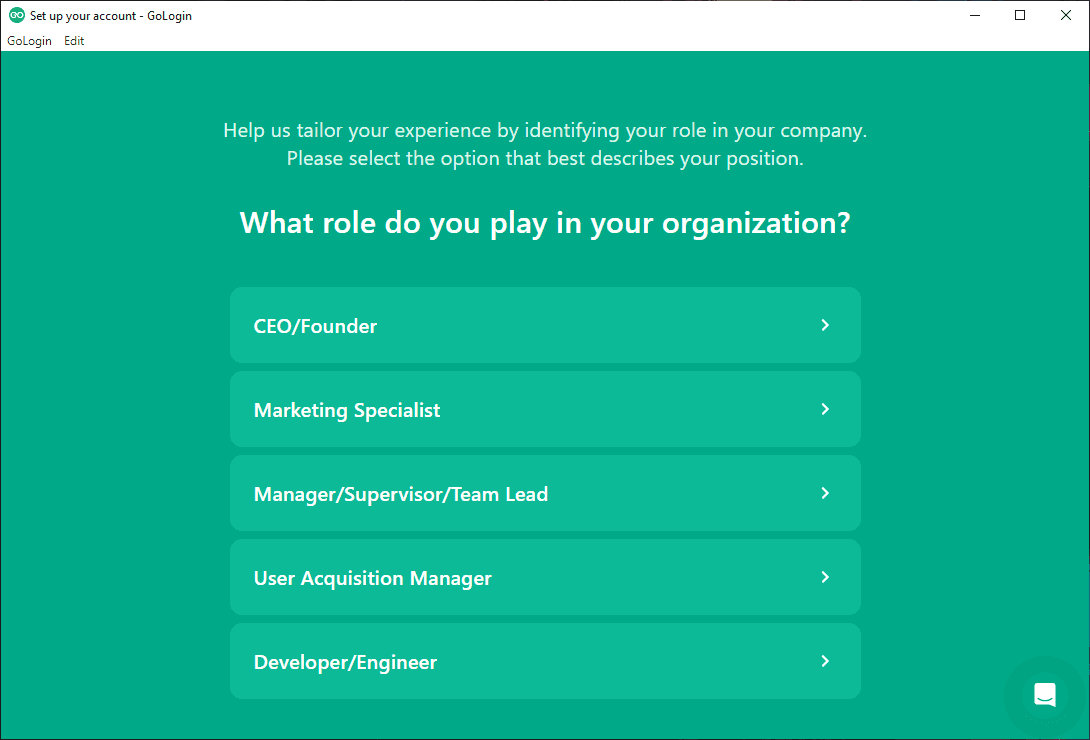
- Get GoLogin from the website and run it after installation. Answer the initial setup questions.
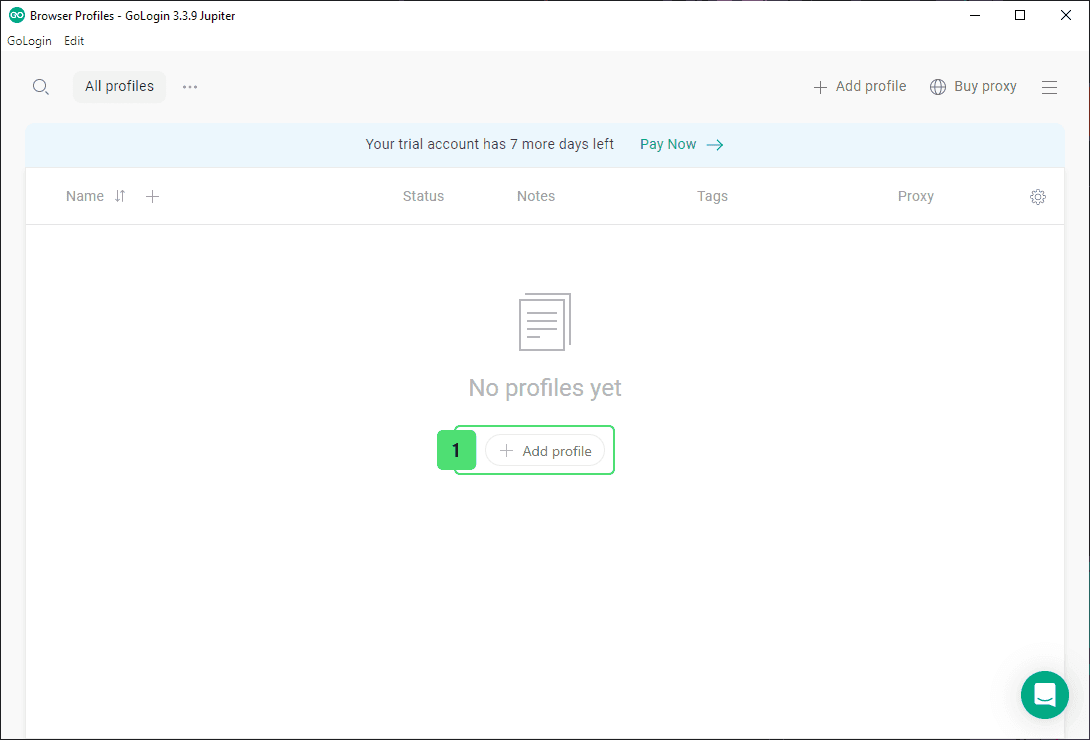
2. Click the Add profile button.
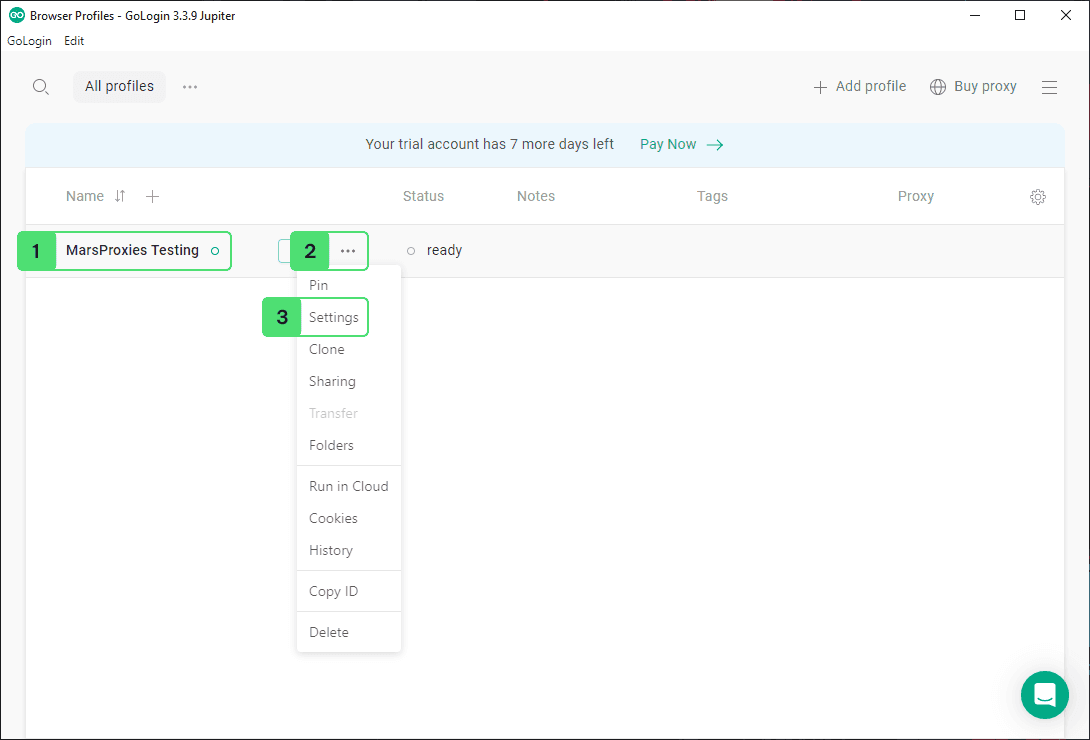
3. Give your profile a name (1), click the drop-down menu (2), and select Settings (3).
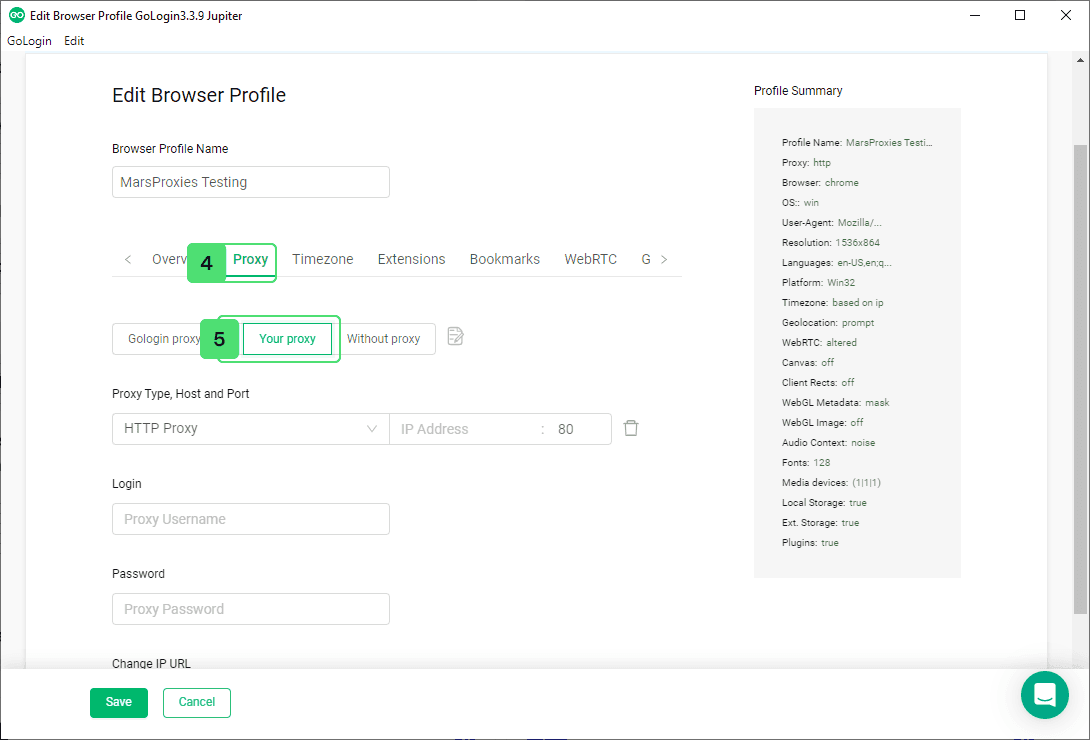
4. Switch to the Proxy tab (4) and select Your proxy (5) from the available options.
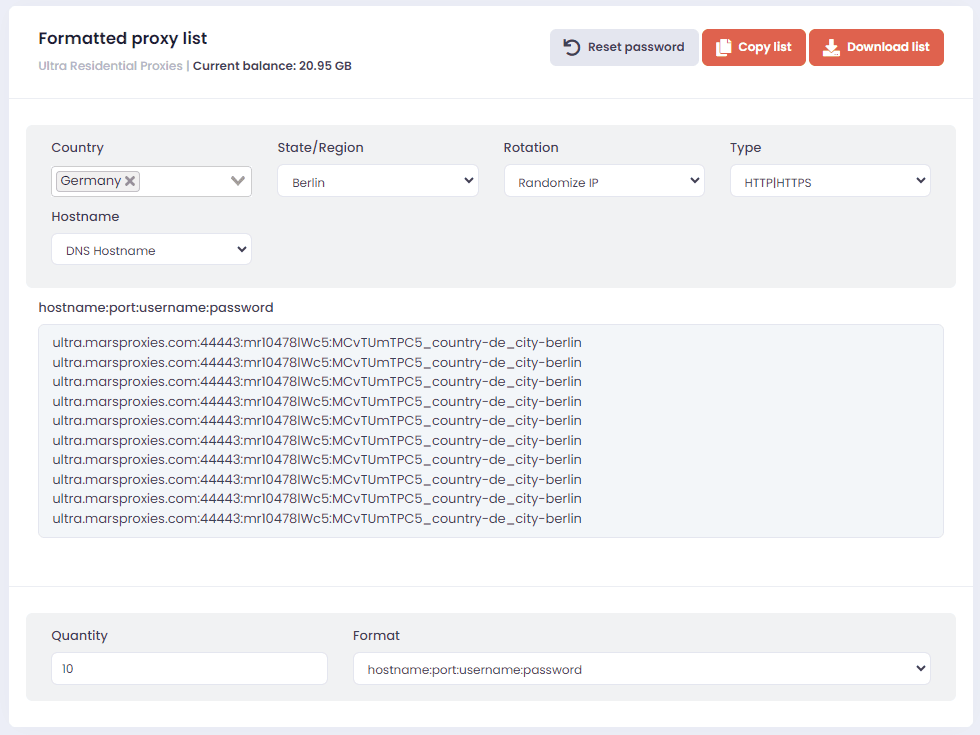
5. Open your MarsProxies dashboard and customize your proxies as needed. We’ll use randomized IPs from Berlin, Germany, with HTTP|HTTPS protocol.
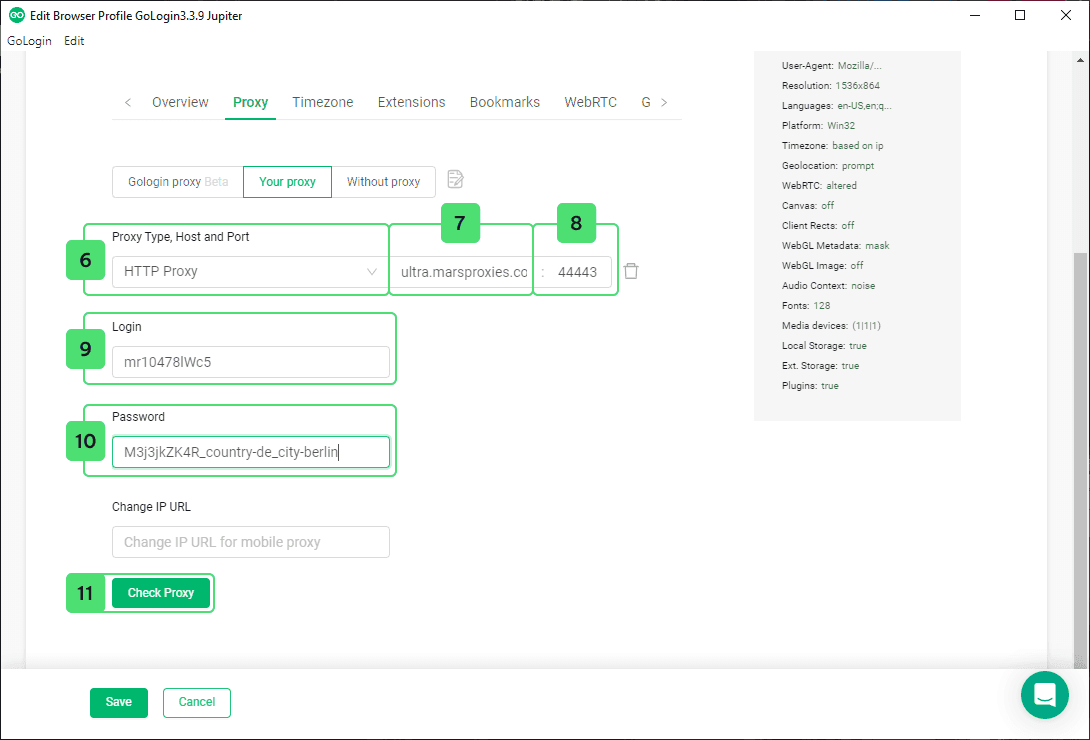
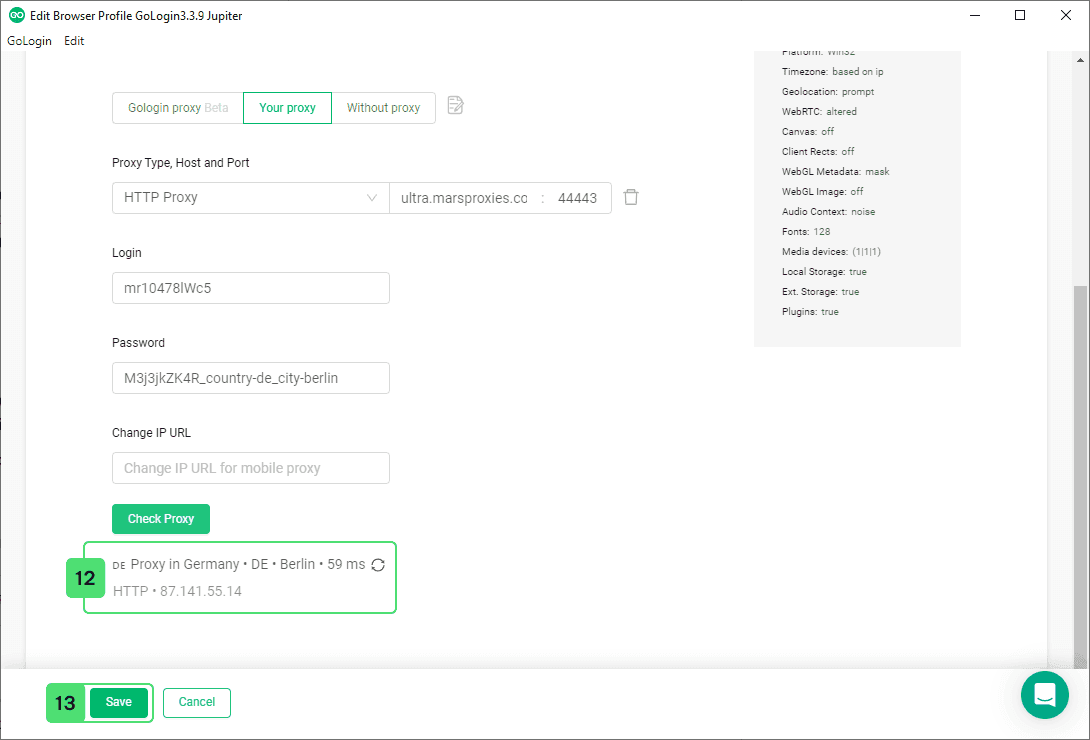
6. Copy the credentials from the MarsProxies dashboard over to GoLogin. Make sure you choose the correct proxy type (6). Fill the appropriate fields with the information from MarsProxies - hostname (7), port (8), username (9), and password (10). Once you’re done, click the Check Proxy (11) button to test if your proxies work correctly.
7. If your proxies work correctly, you’ll see the location, response speed, protocol, and your proxy’s IP address (12). Click the Save button (13) to save your proxy configuration.
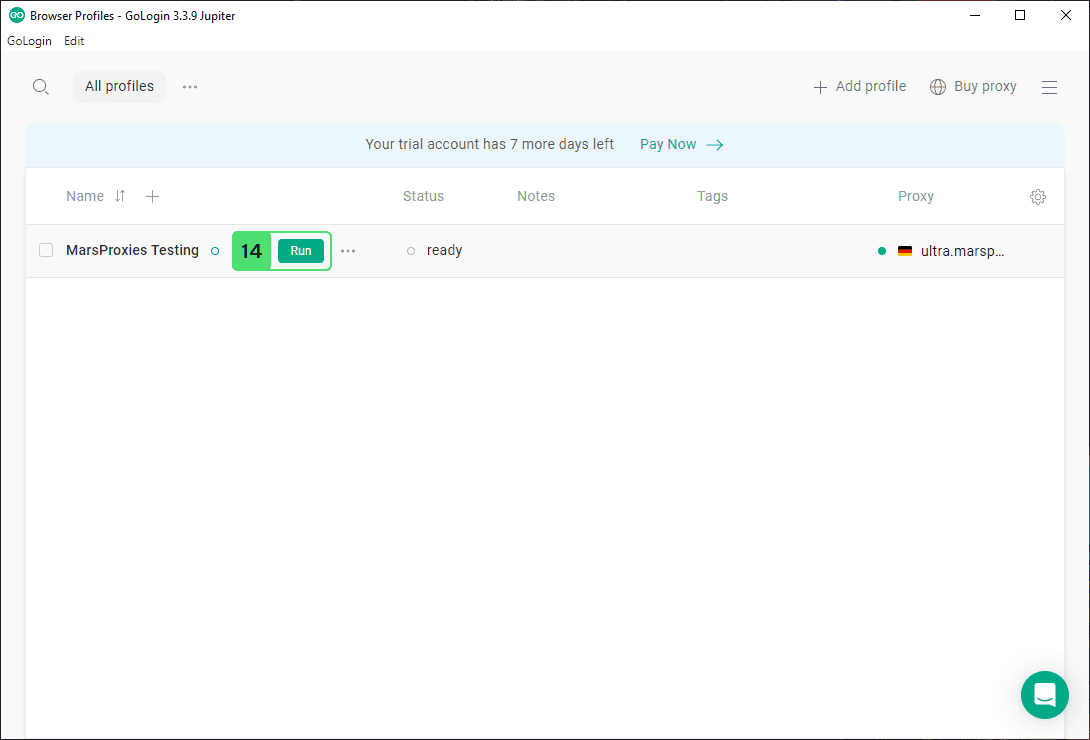
8. Now it’s time to test your profile. Click the Run button (14) next to your profile.
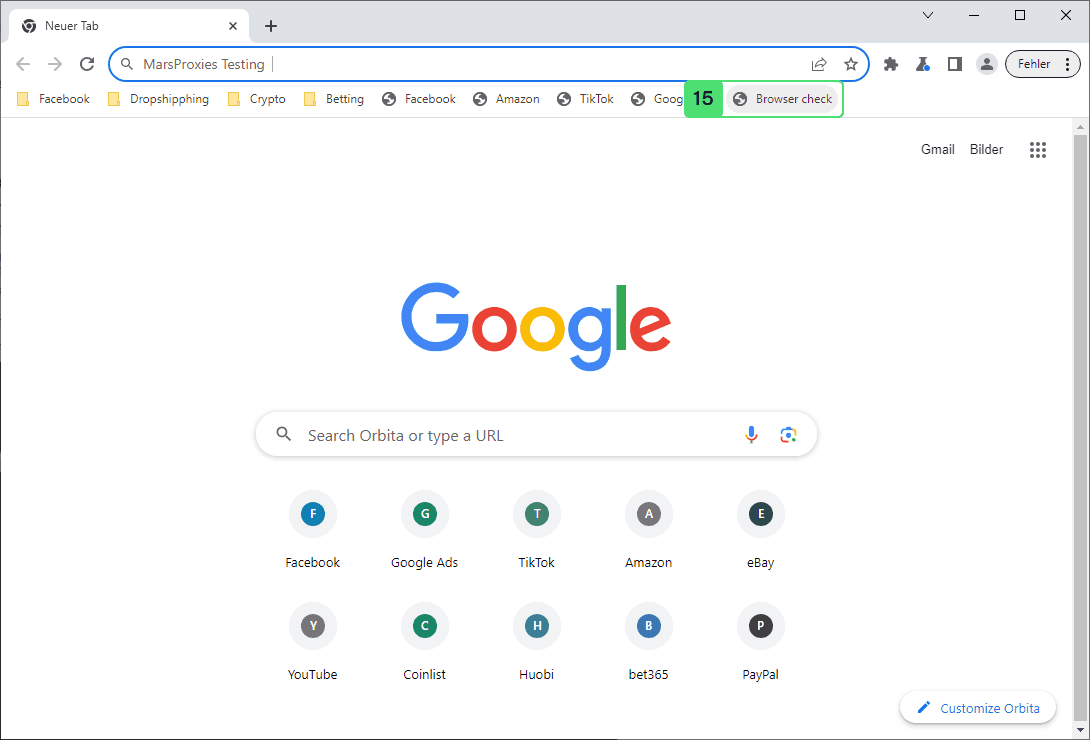
9. This will launch GoLogin’s browser, Orbita, with your proxies enabled. Finally, you can click the Browser check bookmark (15) to verify the authenticity of your profile.
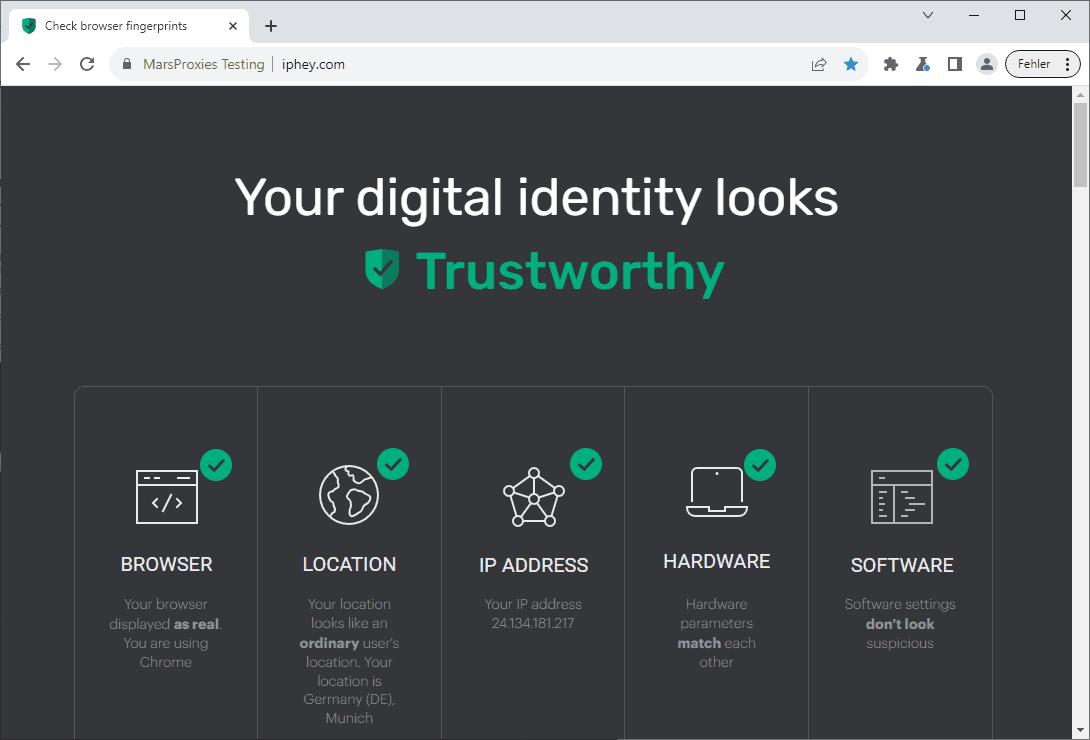
10. The website will confirm your digital identity looks trustworthy, along with additional information about your location, IP, hardware, and software.
Congratulations, you’re ready to start using GoLogin with MarsProxies!
Conclusion
Precise browser fingerprint management is essential for efficient dropshipping, web scraping, social media management, dropshipping, and other purposes. GoLogin offers an excellent set of features to satisfy even the most demanding users, especially when combined with reliable proxies.